
You’re probably here because of one or more of the following reasons:
-
You’re don’t know where to start with OpenFOAM and want clear guidance
-
You tried to download / install / use OpenFOAM but hit a roadblock along the way
-
You got results but they don’t look right or anywhere close to validated data
OpenFOAM can be quickly become overwhelming when you first look into it. The most attractive thing about it is the fact that it’s free to use.
But with no up-front cost, you traditionally trade your time in the form of a steep learning curve (and it is VERY steep!).
My personal learning journey
It was one of love and hate.
I made progress, stumbled backwards and made more progress over an extended period of time. It was draining.
But I had a clear purpose for my learning – I was a Senior Mechanical Engineer in industry for more than 13 years between 2008 and 2021, using both commercial and open-source tools (CAD, CFD, CAE).
I had to get good at using these tools with clarity and intent so I can complete projects within the shortest of deadlines.
There simply wasn’t time for me to “learn on the job” so I went out my way to read, watch, learn and practice from any source I could.
This allowed me to:
-
Create 3D CAD models with a clear modelling strategy
-
Setup CFD simulations with a clear workflow guiding me
-
Use FEA tools with clear decisions and outputs
Moreover, I transitioned into Software Development later in my career, building these types of tools for Researchers and Engineers.
I now have hard-to-find deep insights and new appreciation on how to use / trouble-shoot such tools.
You don’t need to be a programmer to use OpenFOAM, but it sure helps when you get stuck!
So how do you start using OpenFOAM practically?
Last year I couldn’t point you to a single resource that I thought was the best place to start really…
Most recommend you download, install and run the tutorials.
The issue with this is the “monkey-see, monkey-do” effect. You don’t actually learn anything other than perhaps get a feel for the process of interacting with OpenFOAM itself.
A better solution is to actually open each of the case setup files in the various folders (0, constant, system) and and change the parameters, then run the case again.
This will give you a more “tactile” feel for what the parameters do and how to change it for what you want.
However, it still stops short of helping you setup your own case, from scratch.
What happens when you want to go beyond the tutorials?
When you need to change the geometry significantly?
When you need to go from 2D to 3D?
When the physics change or you need to pick a different Solver?
And this is where most abandon OpenFOAM altogether.
I sat down and wrote an introductory guide to OpenFOAM – without the fluff and released it last September. I called it “The OpenFOAM Diet” and if you’re a Student, Researcher or Engineer then feel free to check that out here:
Most tutorials ignore the physics
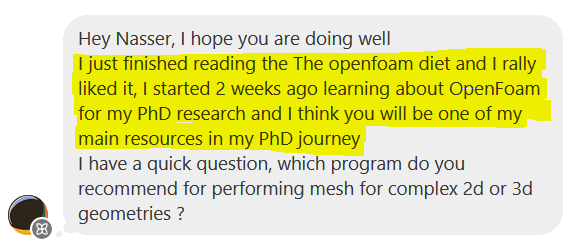
Since releasing the manual, I’ve had some really positive feedback for it:
I think the key difference to the resource I’ve created is in the philosophy behind how I approach CFD tools.
You may or may not have a GUI or wizard guiding you through the case setup. Regardless, you can tame the complexity of using CFD tools by constraining your case (deciding on what matters, what results you need as an output etc.).
Everything else in a GUI or generalised solver becomes superfluous to your needs.
And this is what I show exactly how to do this in the guide – I wrote a chapter on the “physics of the system” I get you to setup. I then refer back to this as I recommend, detail the parameters and make solver choices for the case.
Without a systematic CFD process to follow, you setup your case blindly and run the risk of settling for parameter values and choices from tutorial cases or make assumptions without validation or reasoning.
Can we trust our simulation results based on that?
See you soon.
Disclaimer:
All content in this post and newsletter is my own production and do not reflect the opinions or positions of my employers, partners or associates.
