
You prepare your computer.
Make space on your hard drive.
Follow the installation / upgrade steps for OpenFOAM.
And go ahead and try to launch blockMesh or ParaView…
**IT DOESN’T WORK**
Instead you see an error message stating you have a missing utility or dependency.
Don’t give up just yet.
Imagine being able to quickly check your installation environment and be confident you can actually run the tools…
foamInstallationTest is a tool bundled with OpenFOAM that kind of does this, but is basic and really checks the current state of your installation.
It didn’t pick up my missing ParaView module and instead had a few empty variables that were pointing to…..nothing!
A failing native ParaView launch got me thinking about this problem and I started building a small utility that actually checks whether dependencies exist and run, saving you time and frustration down the line.
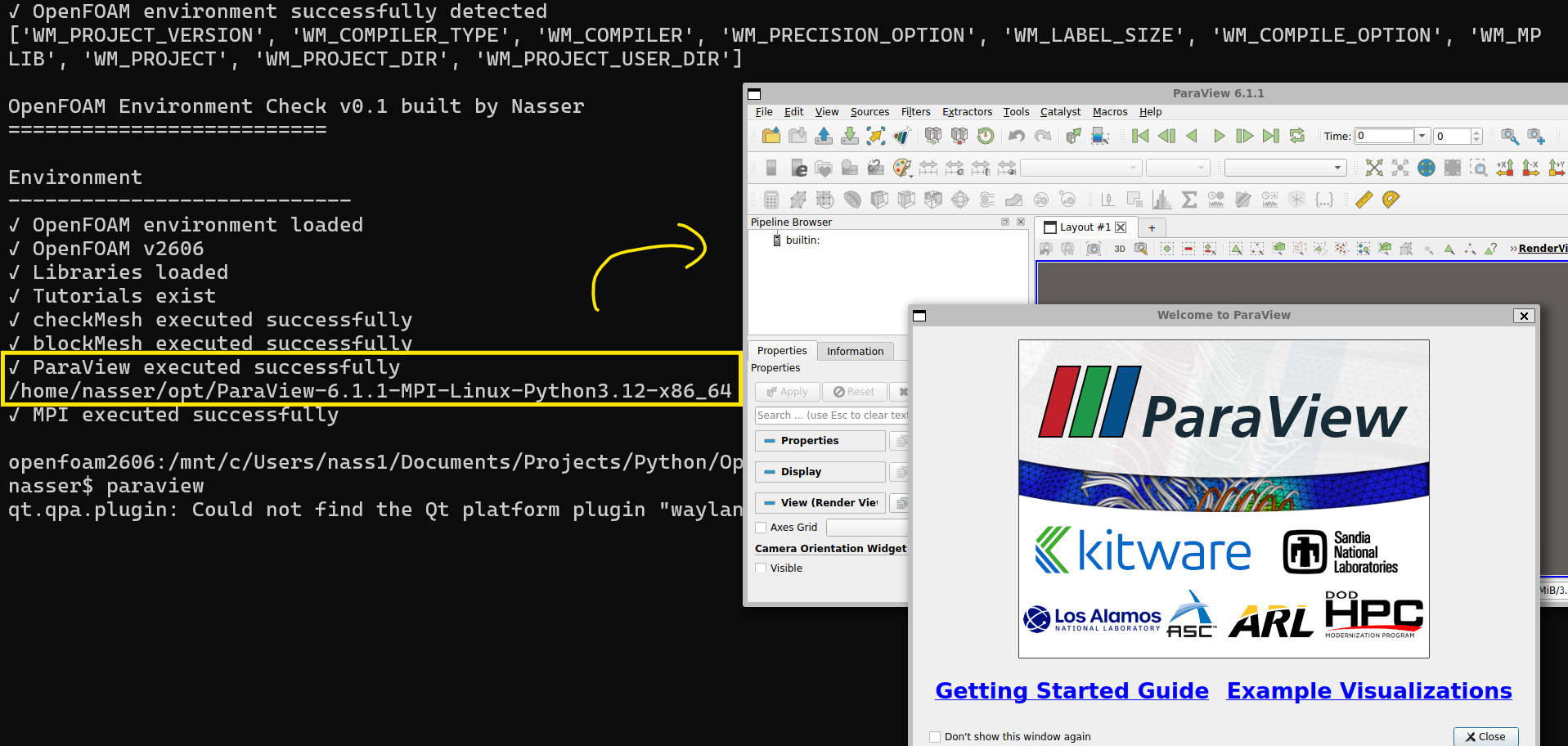
Go ahead and test it for yourself!
-
Install / Upgrade OpenFOAM
-
Download the Linux Paraview distribution and compile it to the /opt location of OpenFOAM
-
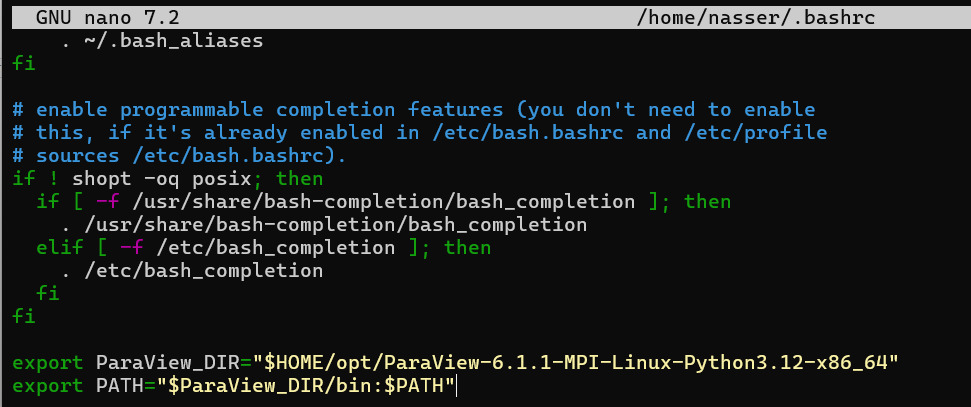
Set the variable “ParaView_DIR” to point to the
Update the .bashrc file to always do this for you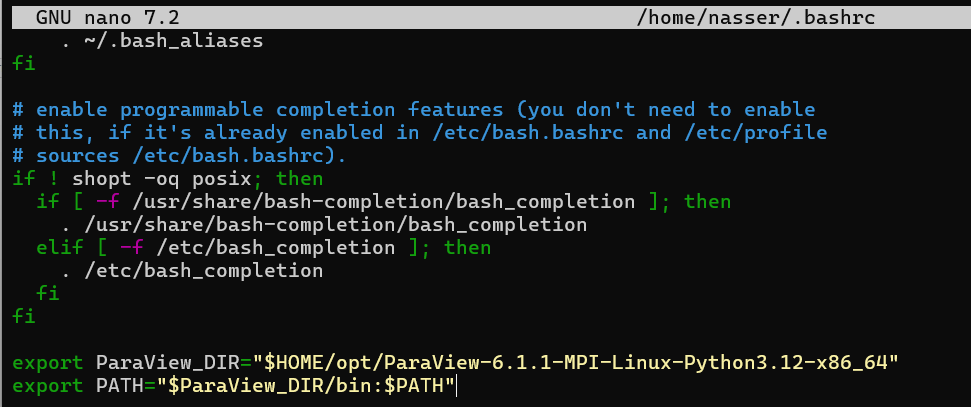
-
Download my OpenFOAM checker, remove the “.cbz” extension from the file name and extract it to a known folder.
-
Launch your OpenFOAM environment in the command prompt / CLI and run the dist/openfoam_checker file by typing ‘openfoam_checker‘. You should see something like this:
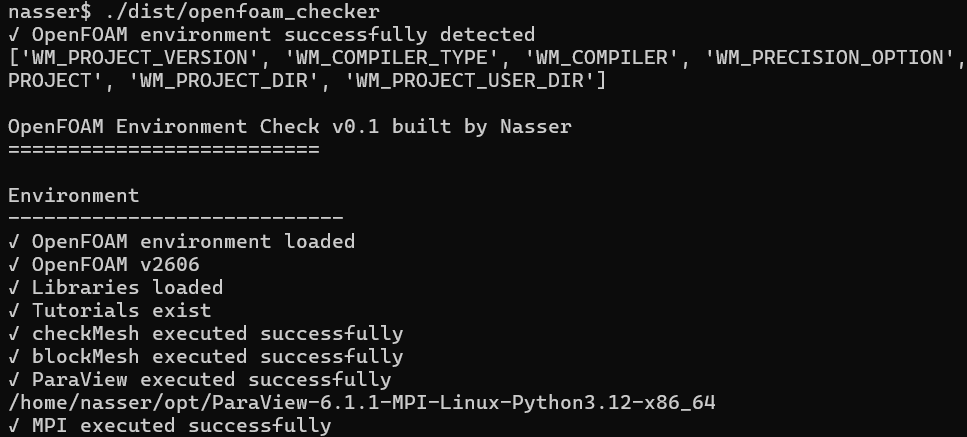
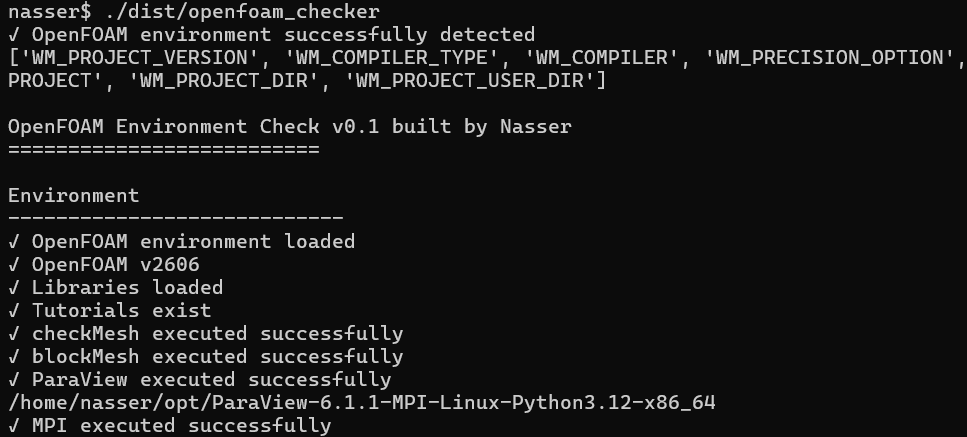
Now you can go ahead with setting up and running simulation cases with confidence that your environment won’t let you down.
I’m considering making this more useful so let me know what you’d like it to do for you – I’m all ears!
New upload on the OneDigitalEngineer channel!
Have a great week!
Nasser
